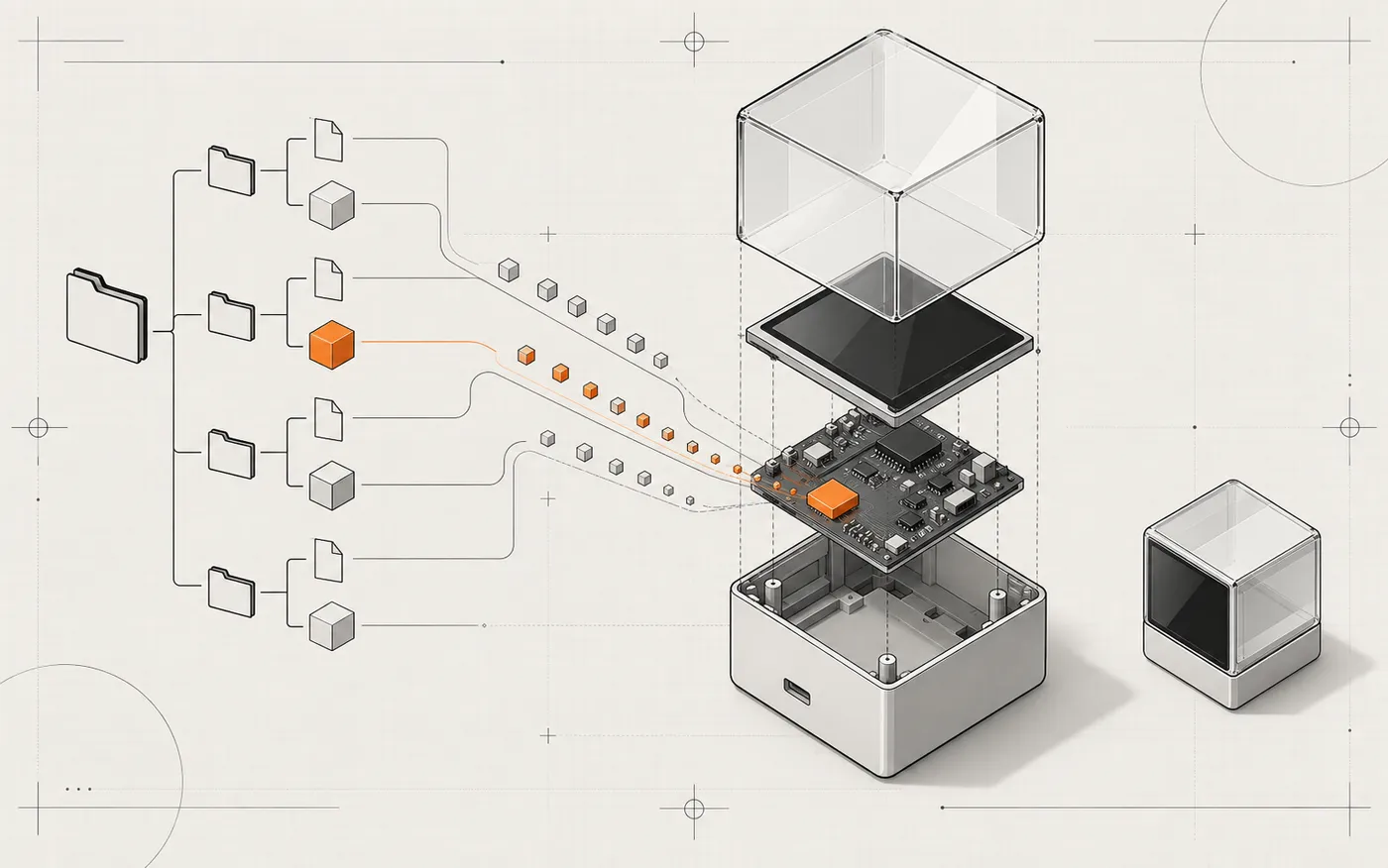
HoloCubic CLI is a community companion project for the two upstream HoloCubic
repositories above. It does not replace the firmware or app collection; it
makes their DevTools workflow scriptable from Windows, Linux, and macOS.
HoloCubic CLI provides three stable, cross-platform command-line clients for
the HoloCubic DevTools HTTP API. Choose the runtime you already use; all three
implementations expose the same device, SD-card, DevRun, and app workflows.
Warning
The current DevTools API has no authentication. Use it only on a trusted
local network and never expose the device HTTP service to the public internet.
Windows, Ubuntu, macOS × Node.js 22 and 24: 6 jobs
Python CI
Windows, Ubuntu, macOS × Python 3.10 and 3.13: 6 jobs
Rust CI
Windows, Ubuntu, macOS × stable Rust: 3 jobs
Full CLI conformance
One Linux job runs all three CLIs against the same mock device
The conformance gate covers saved devices, recursive binary and empty-folder
round trips, rename/delete safeguards, DevRun, app workflows, JSON output, and
exit codes. Maintainer release procedures are documented in
docs/RELEASING.md.
Support the project 💙
If this companion makes your HoloCubic workflow easier, please use it, share
it with other HoloCubic users, and give the repository a ⭐. Issues and focused
pull requests are welcome.
This repository contains example Lua apps that can run directly from the device's SD card. The
package/ directory of each app is its deployment package. Copy it to
/sd/apps/<app-id>/ on the device, then rescan apps in Launcher to make it available.
See README_LUA.md for the underlying Lua module APIs and
README_LVGL.md for the LVGL UI bindings. This document focuses on the
project structure, common API entry points, and debugging workflow most useful for DIY apps.
A typical app directory looks like this:
my_app/
└── package/
    ├── app.info              # App metadata; required
    ├── main.lua              # Entry script; required; filename is set by entry in app.info
    ├── main.png              # App icon; recommended
    ├── info.html             # Description page shown in Launcher; recommended
    ├── font/                 # Font resources; optional
    ├── assets/               # Images, GIFs, audio, and other assets; optional
    └── modules/              # .so extension modules; optional
After deploying package/, the files are normally located at:
Then rescan apps in Launcher. In the current Launcher, a short press on DOWN calls
app.rescan(). You can also restart the device or call app.rescan() from your own script.
IP / DevTools Usage
1. Find the device IP address
After the device connects to Wi-Fi, use one of the following methods to find its IP address:
Open the Settings app and view the Wi-Fi/IP information.
The computer and the device must be on the same LAN. If the device IP is 192.168.0.140,
open the following URL in a browser:
http://192.168.0.140/devtools/
2. DevTools page
devtools/package is an auto-start service with the fixed /devtools/ entry point. The
compatibility route /codeeditor/ redirects to /devtools/.
Main features:
Feature
Usage
File manager
Browse /sd, preview small text files and images, download, upload, rename, delete, and create directories
Upload app
Upload local files to /sd/apps/<app-id>/
App update
Restart the DevTools service and load the new main.lua from the SD card
DevRun
Edit /sd/apps/devrun/main.lua online
Save
Save DevRun code only
Run
Save the code and call app.launch("devrun")
DevRun is suitable for quickly testing code. Once the code is ready, organize it into a separate
app directory with its own app.info.
3. DevTools HTTP API
Base prefix: /devtools/api
Method
Path
Usage
GET
/info
Service information, read chunk size, 64 MB transfer limit, and DevRun path
GET
/list?path=/sd/apps
List a directory
GET
/stat?path=/sd/apps/hello/main.lua
Get file or directory information
GET
/read?path=...&offset=0&size=262144
Read a file in chunks
GET
/apps
List editable SD-card apps
GET
/code/read
Read the DevRun main.lua
POST
/mkdir?path=/sd/apps/hello
Create a directory
POST
/rename?path=...&new_path=...
Rename or move a file/directory
POST
/reload
Return 202, restart the DevTools service, and load the new main.lua
POST
/code/save
Save the request body to the DevRun main.lua
POST
/code/run
Save the request body and launch DevRun
PUT
/upload?path=...&offset=0&total=123
Legacy-compatible Lua chunked upload API
DELETE
/remove?path=...
Delete a file
DELETE
/rmdir?path=...&recursive=1
Delete a directory, optionally recursively
Examples:
curl "http://192.168.0.140/devtools/api/list?path=/sd/apps"

curl -X POST \
  --data-binary @hello/package/main.lua \
  "http://192.168.0.140/devtools/api/code/run"
DevTools uploads use the firmware-native PUT /api/system/fs/upload?path=... endpoint directly.
Read APIs still return data in chunks, while browser downloads use file streaming; none of these
paths load a complete file into Lua memory. The legacy /devtools/api/upload endpoint remains
available for existing clients, but it passes request bodies through Lua and is slower than the
firmware-native endpoint. The maximum size of a single file is 64 MB.
When upgrading for the first time from an old version without /reload, restart the device once.
After that, use App update at the top of the page.
To upload a complete app, first create /sd/apps/hello from the DevTools page, then upload
app.info, main.lua, main.png, and other files. Finally, rescan the app list.
DIY Notes
Release resources before exit or reload: timer:unregister(), key.off(), and
app.on(name, nil).
Do not block for long periods inside callbacks. Use tmr for periodic work and check
app.exiting() inside long-running loops.
After deployment, UI asset paths should use /sd/apps/<app-id>/....
After loading a font with lv_font_load(), release it with lv_font_free() when the app exits.
Handle network and file I/O failures using the value | nil, err convention.
info.html is the description page embedded in Launcher. See info页面要求.md for generation
requirements.
Reference Apps
App
Good reference for
2048/package
Keys, animations, game state, and resource cleanup
launcher/package
app.list(), app.launch(), icon loading, and rescanning
settings/package
Wi-Fi/IP, device settings, and form-based UI
devtools/package
httpd.dynamic(), WebUI services, and file APIs
weather/package
HTTP requests, JSON, image/font assets, and complex UI
mp3_player/package
Audio modules, lists, lyrics, and resource scanning